Tips & Tricks
How I automated time-sensitive email offers using Podio and ProcFu AI

App Builder & Automation Expert
Stay Updated with ProcFu!
Subscribe to our newsletter for the latest tips, updates, and automation insights.
Subscribe Now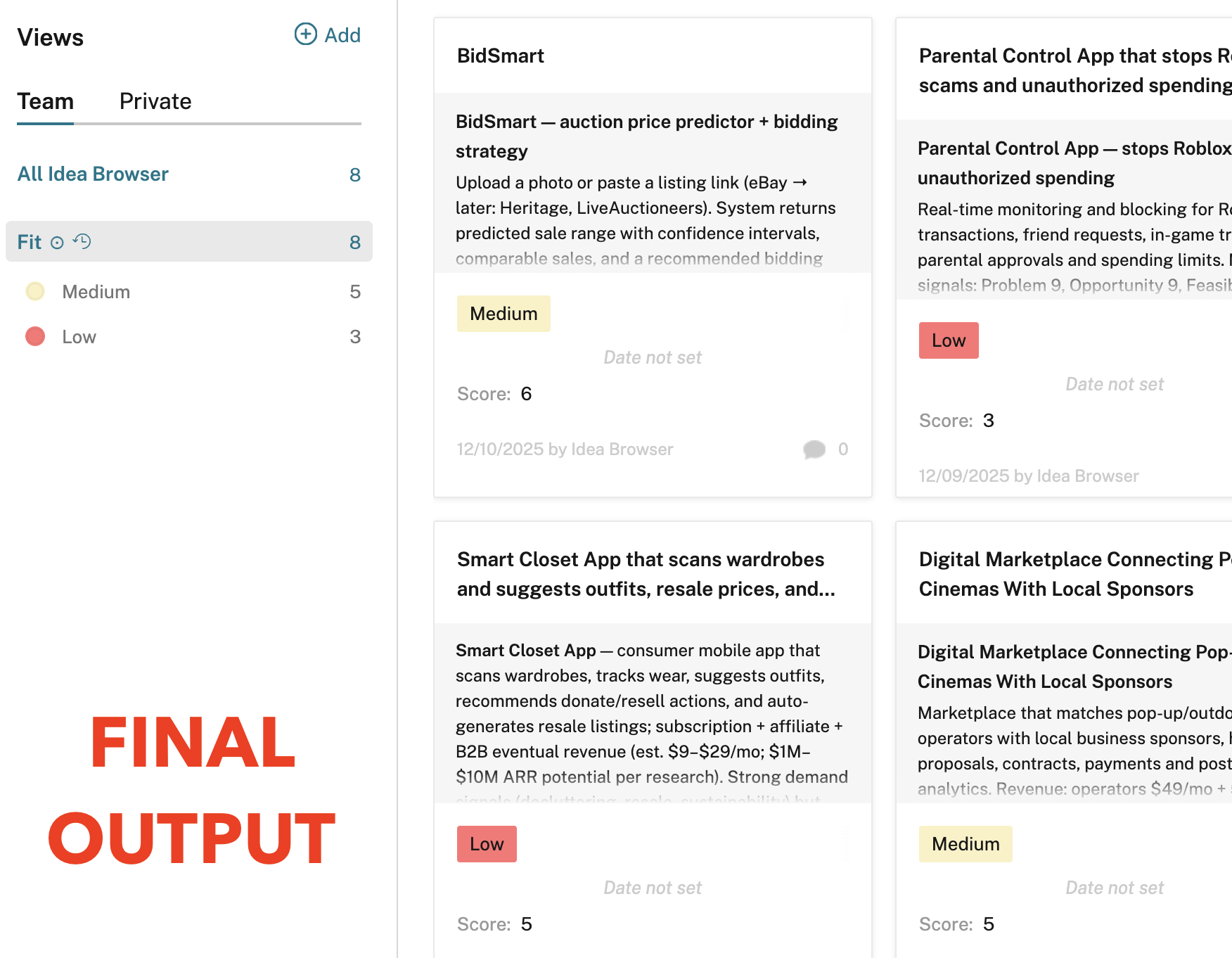
In this walkthrough I’ll show you exactly how I built a system that:
- Captures time-limited offers that arrive by email
- Scrapes the linked third-party pages before those links expire
- Uses ProcFu AI to summarise and enrich the data
- Scores each opportunity so humans only review high-value items
The Problem I Wanted to Solve
The team was receiving lots of short-lived offers by email. Each email contained one or more links to a third-party page that would expire within 24 hours. Manually:
- Watching the inbox
- Opening each link before it expires
- Copying details into Podio
- Deciding which ones are worth reviewing
…was a complete waste of time. The goal was simple: let a Podio + ProcFu system do all this automatically.
High-Level Overview
The system now works like this:
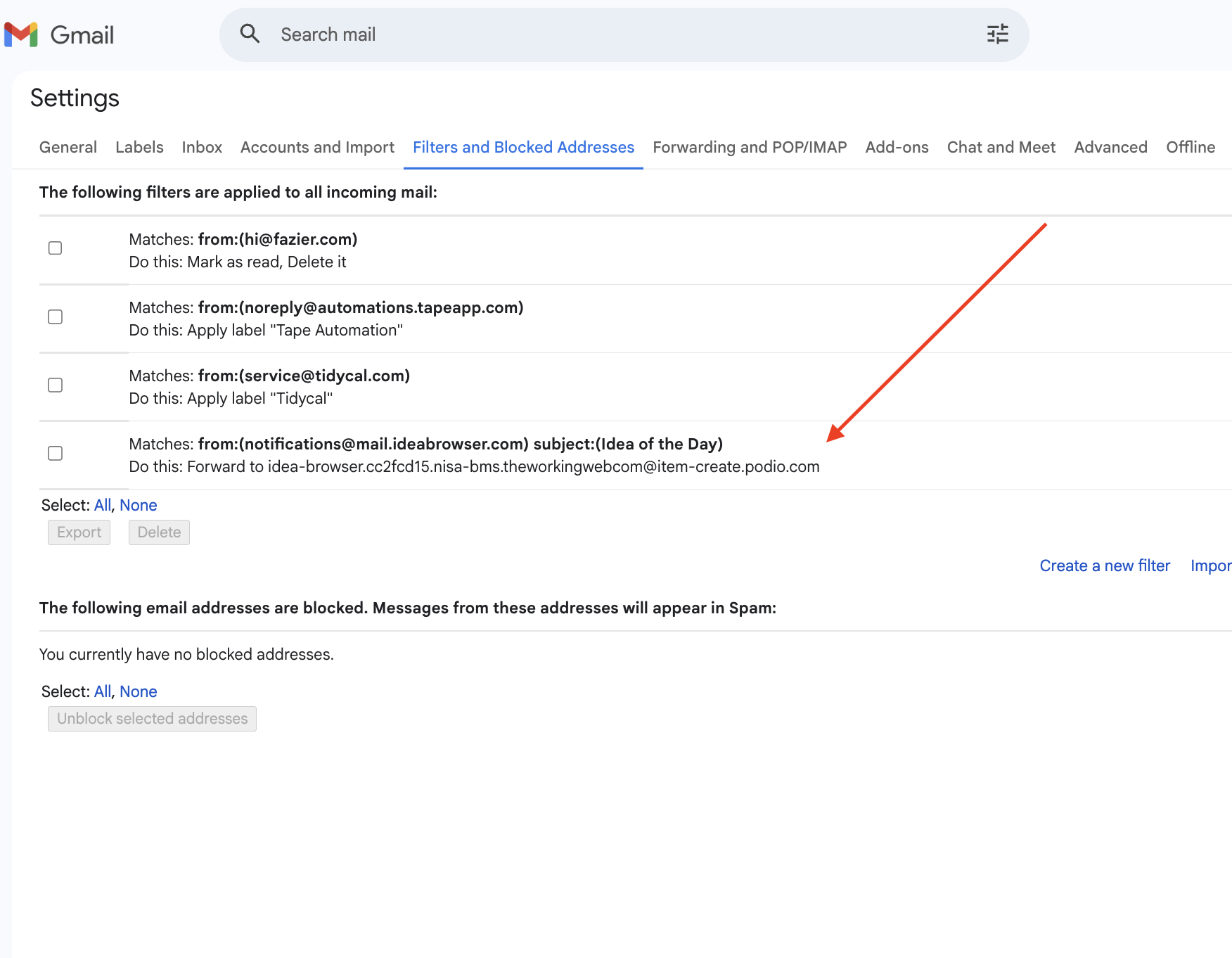
- Emails are forwarded into a Podio app.
- A scheduled ProcFu script runs once per day.
- ProcFu AI extracts the offer link(s) from the email body.
- ProcFu scraping fetches and scrapes the linked pages before they expire.
- ProcFu AI summarises the content and derives useful data points.
- A ProcFu AI ranking function assigns a numeric score to each offer.
- Everything is written back to the same Podio item for review and audit.
Podio Setup: One App, One Item Per Offer
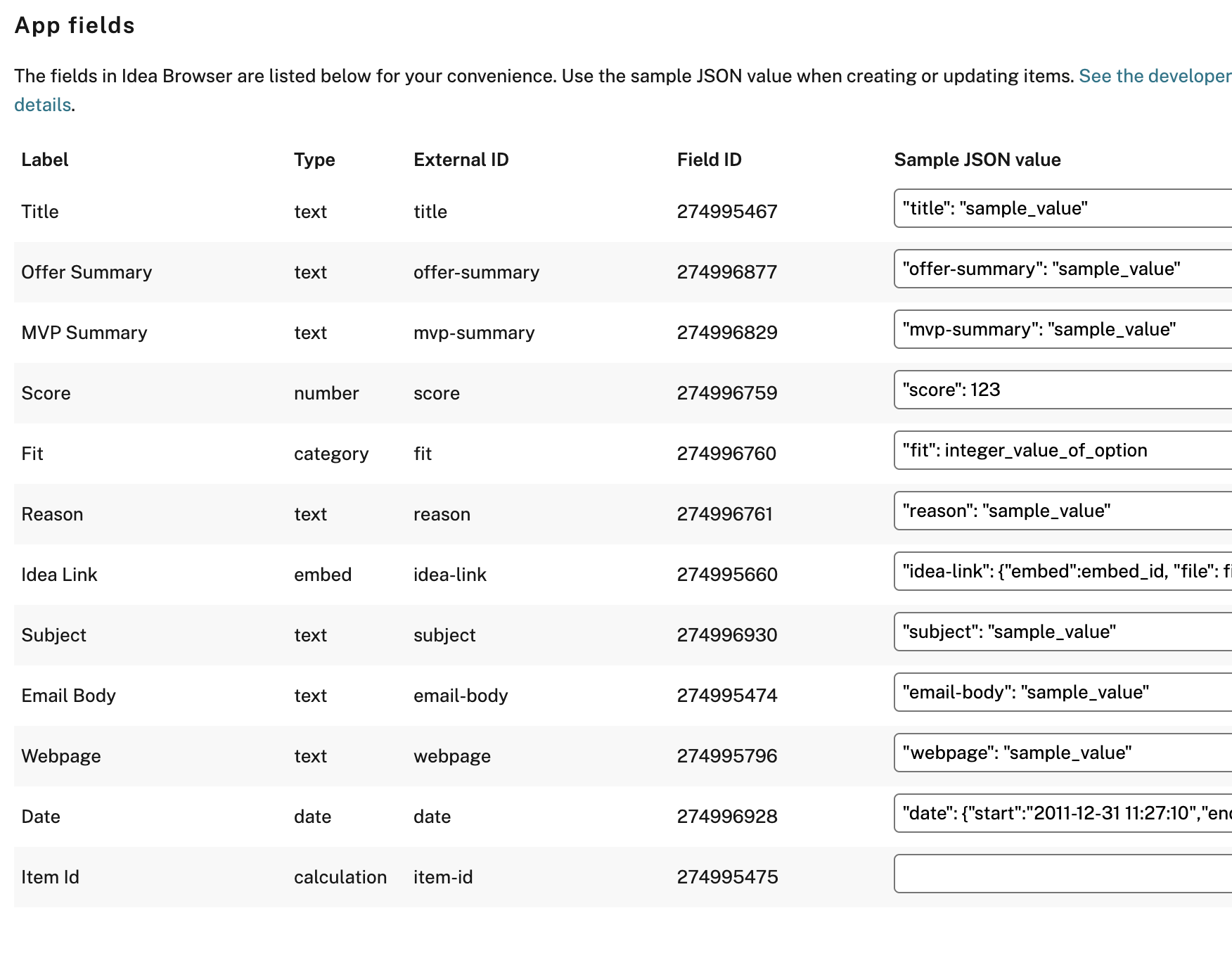
I created a single Podio app that acts as the “offer inbox”. Each record in this app represents one incoming email. At minimum, each item stores:
- Raw email content – the full body of the forwarded email.
- Extracted link(s) – URLs to the third-party offer pages.
- Scraped page content – HTML/text and key metrics from the linked page.
- AI summary – a concise description of the offer.
- Derived attributes – extra AI-generated fields useful for decisioning.
- Opportunity score (numeric) – used to decide if human review is needed.
All of these fields live on the same Podio item so reviewers see the raw email plus all AI-enriched data in one place.
How Emails Land in Podio
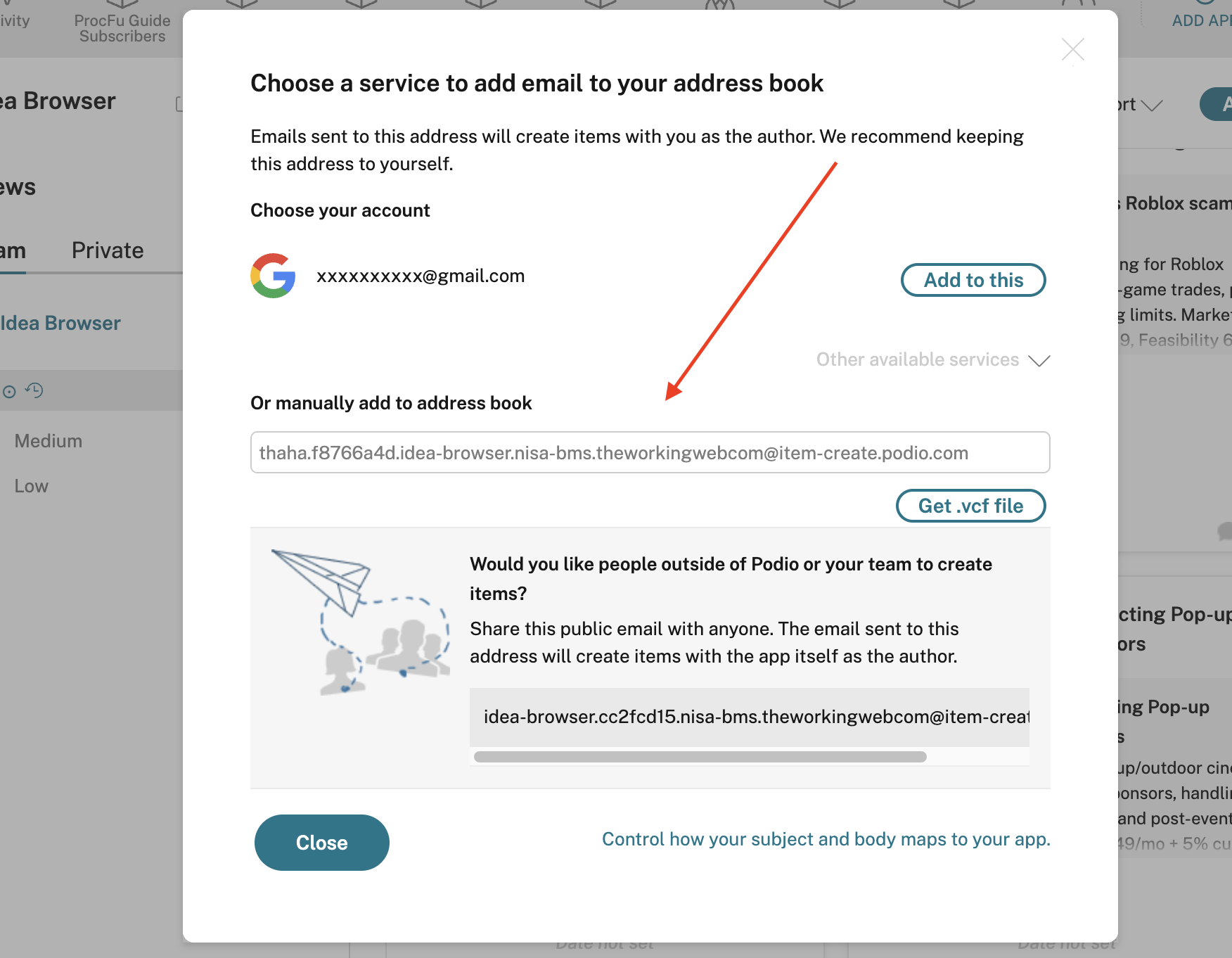
The Podio app uses a create-by-email address. The team simply forwards any relevant offers to that address. Podio creates an item automatically, and I map the incoming email fields so that:
- The subject, sender, and received date are recorded.
- The full email body is stored in a dedicated “Raw email content” field.
Where ProcFu Comes In
The heavy lifting is done by ProcFu scripts and AI helpers:
- Scheduled cron (ProcFu) – runs the processing script once per day.
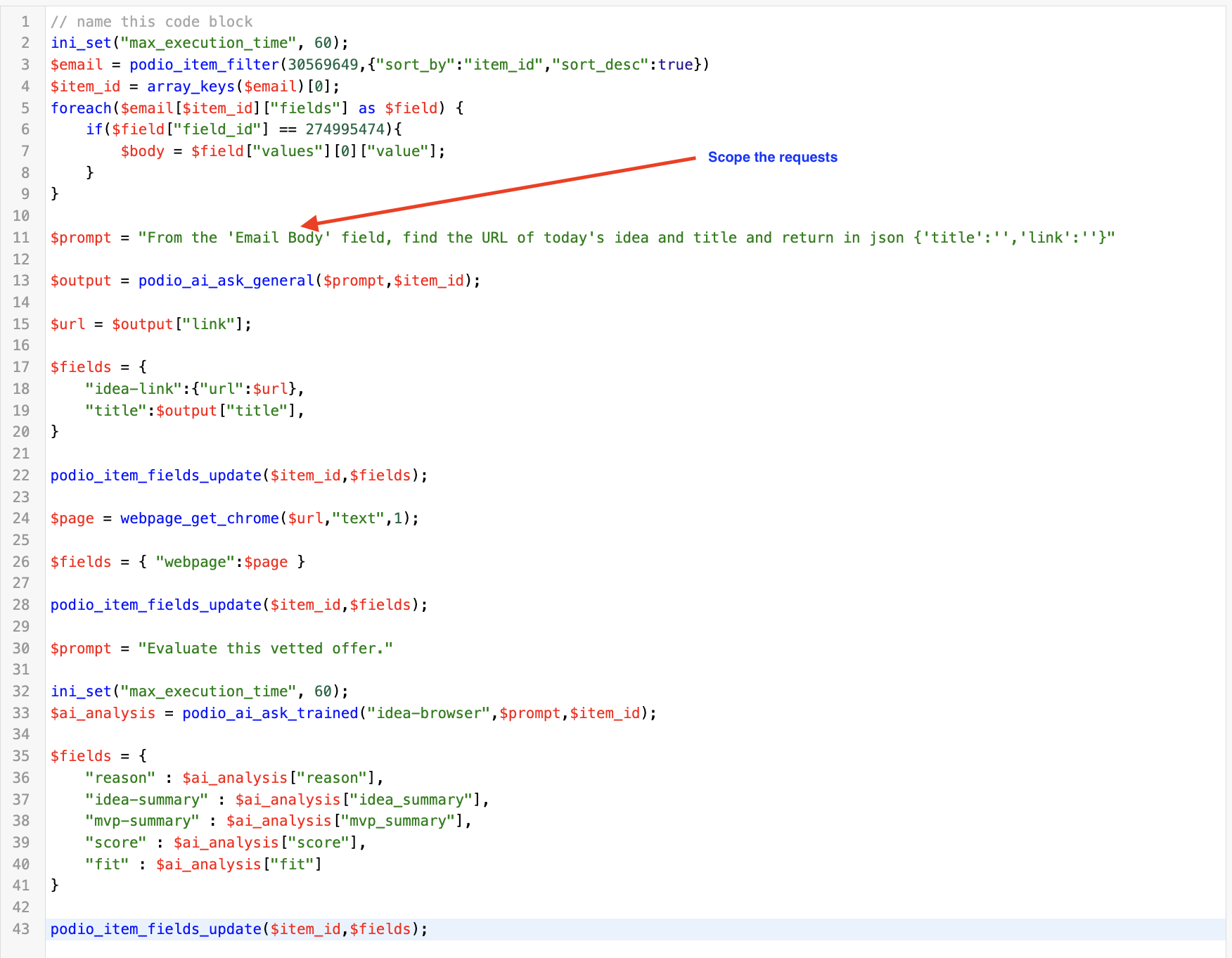
- podio_ai_ask_general (ProcFu AI) – extracts offer link(s) from the email body.
- webpage_get_chrome (ProcFu scraping) – fetches and scrapes the third-party page before links expire.
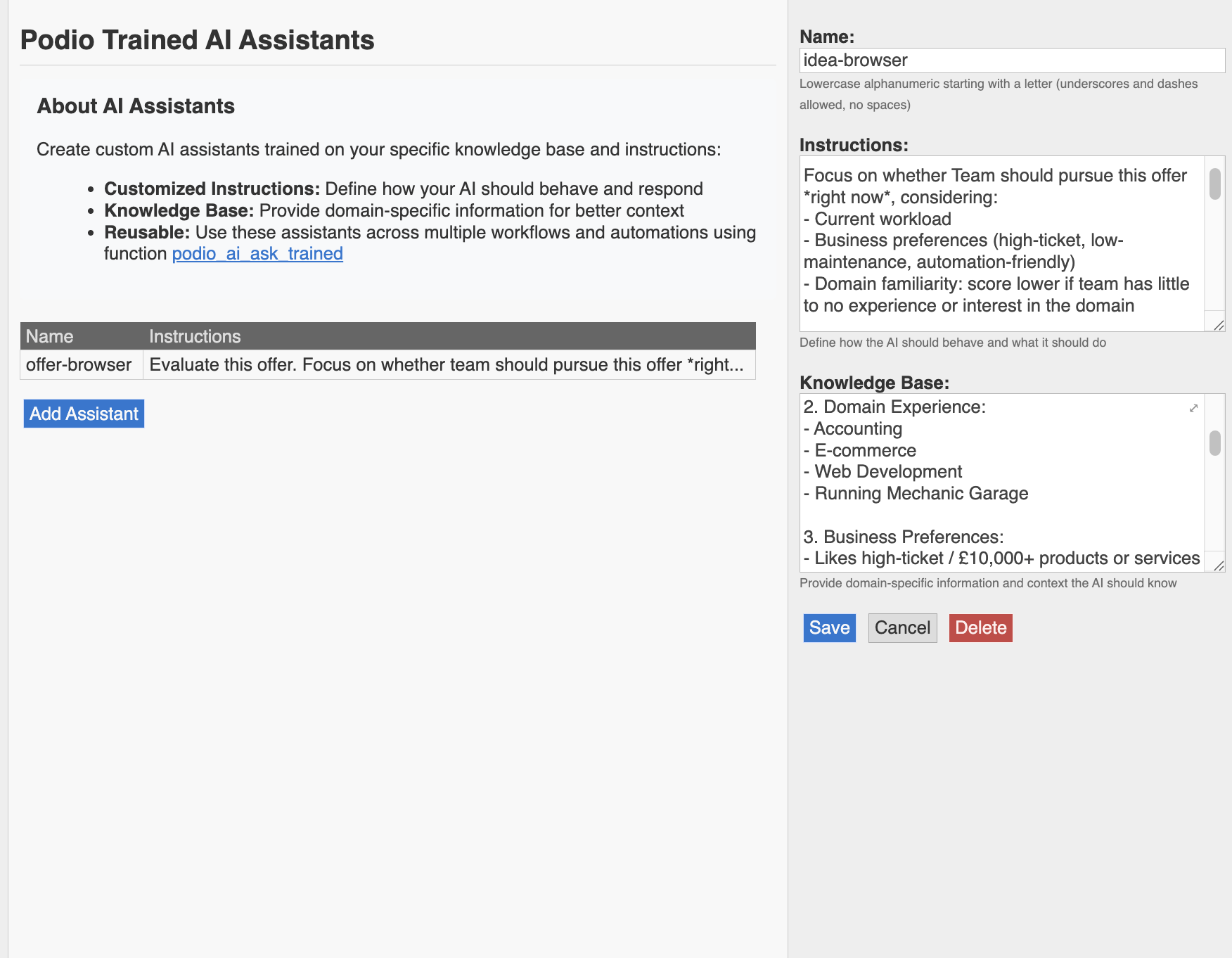
- podio_ai_ask_trained (ProcFu AI Agent) – analyses the combined data and produces summaries + derived fields.
- AI ranking function – calculates a numeric opportunity score per item.
Step-by-Step: What the ProcFu Script Actually Does
1. Daily Run (Scheduled Cron)
I set up a ProcFu cron to run once a day. On each run, the script:
- Finds new Podio items that haven’t been processed yet.
- Loops through each item and processes it end-to-end.
2. Extract Links with ProcFu AI
For each Podio item, the script calls podio_ai_ask_general on the raw email content. The AI’s job is to:
- Read the email body.
- Extract all relevant offer links.
- Return them in a consistent, machine-friendly format.
This removes the need for anyone to read the email manually just to copy URLs.
3. Scrape the Linked Pages Before They Expire
For each link returned by the AI, the script uses webpage_get_chrome to:
- Open the page in a headless Chrome session.
- Fetch the page content and any key metrics we care about.
- Return the scraped data into the script.
Doing this on a schedule ensures we capture the data before the short-lived link stops working.
4. Persist Raw + Scraped Data Back to Podio
The script then writes all scraped content and extracted metrics back into fields on the same Podio item:
- Raw email stays as-is for audit.
- Extracted links are stored in dedicated URL fields.
- Scraped text/metrics from the third-party page are stored in separate fields.
Even if later AI steps fail or need to be retried, the scraped data is already safely stored.
5. Run Trained AI Analysis on the Combined Data
Next, the script calls podio_ai_ask_trained (a ProcFu AI Agent trained on the client’s rules and examples).
It receives:
- The original email text
- The scraped page content
The AI then returns:
- A concise, human-readable summary of the offer
- Derived attributes (for example: category, value range, risk level, must-know conditions)
Those outputs are written back into Podio fields so the team can filter and report on them.
6. Compute an Opportunity Score
Finally, I use a ProcFu AI-based ranking function to turn those derived attributes into a single numeric opportunity score. The script:
- Passes the derived data into the ranking logic.
- Receives a score (for example, 0–100).
- Writes that score to an “Opportunity score” field on the Podio item.
In the Podio app view, the team can now simply filter on “score >= X” to see only the offers that deserve human review.
Error Handling and Reliability
To make the whole flow robust, I added a few practical safeguards:
- Execution timeouts: To avoid timeout issues, I tell the AI to only use specific Podio fields (e.g., “use only the webpage field”) so the item in the context stays small enough to run reliably.
- State preservation: At each step, whatever we have (email, extracted links, scraped content) is written back to Podio. If a later step fails, the record is not lost.
- Scheduled frequency: Running the cron daily is enough for this client’s 24-hour expiry window, but this can be switched to hourly if needed without changing the rest of the logic.
What This Achieved
- All offers and their scraped content sit on a single Podio item.
- No manual inbox monitoring for short-lived links.
- AI converts raw text into structured, decision-ready data.
- The numeric score keeps human attention focused on a small subset of high-value opportunities.
How You Can Adapt This
The nice part is that the ProcFu script is modular:
- Swap
webpage_get_chromefor different scraping logic if your pages are special. - Change the
podio_ai_ask_generalprompt if you need different data extracted from emails. - Retrain
podio_ai_ask_trainedon your own examples and rules. - Adjust the ranking function or thresholds to match your definition of “high-value”.
- Change the cron frequency if your expiry window is tighter.
The core idea stays the same: capture emails into Podio, let ProcFu AI and scraping do the heavy lifting, and only send humans the items that actually matter.